
For Claude Code
Hibira in Claude Code
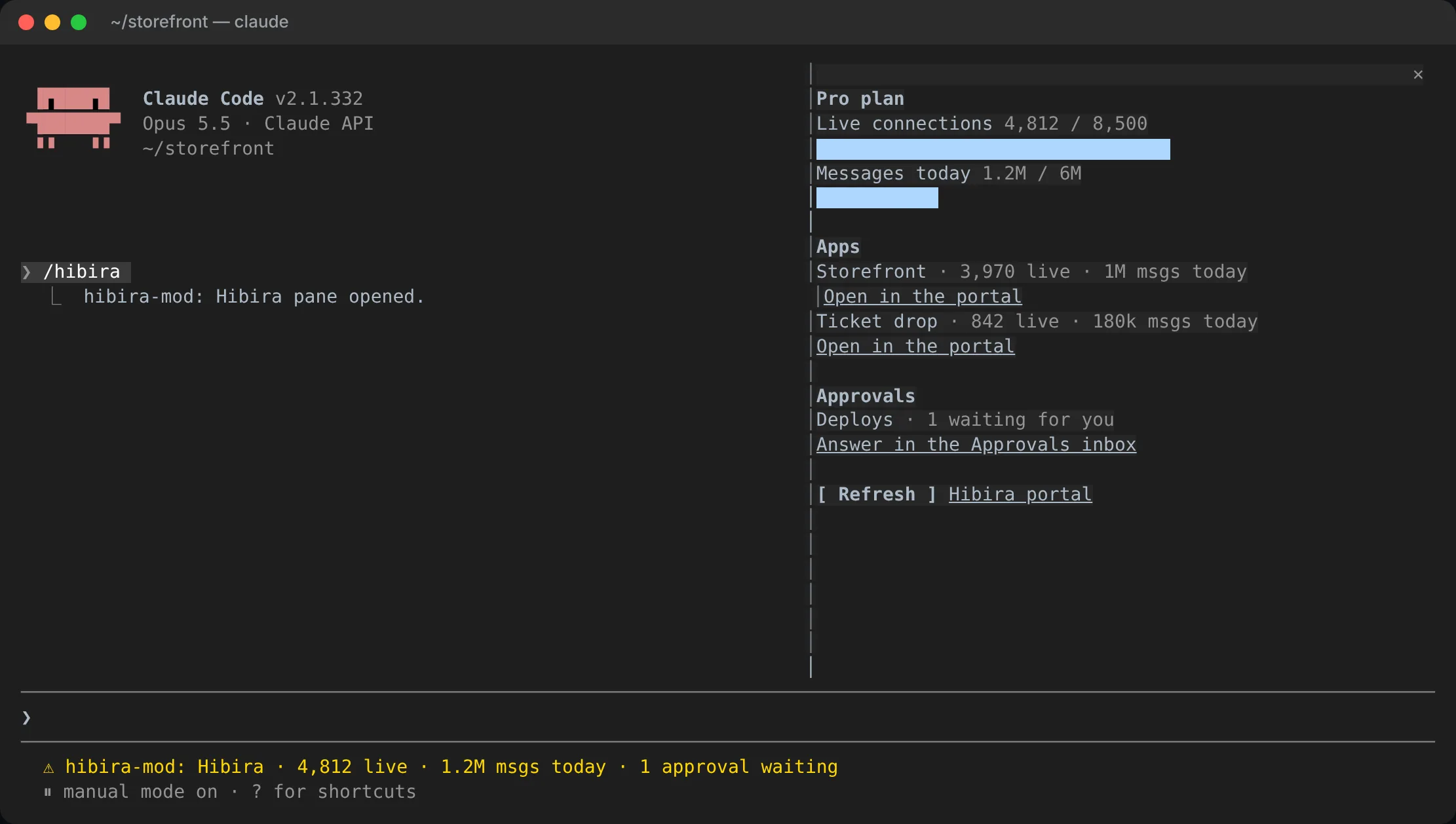
Keep an eye on your Hibira apps without leaving your editor. The Hibira mod adds a pane beside the chat and a status line under the prompt with live connections, messages today and the approvals waiting for you.
When it helps
Watch a launch while you ship fixes
During a ticket drop or a flash sale, the status line shows live connections and messages today while you work. Type /hibira to see each app against your plan’s limits and catch a runaway loop before it uses up the day’s messages.
Never leave an approval waiting
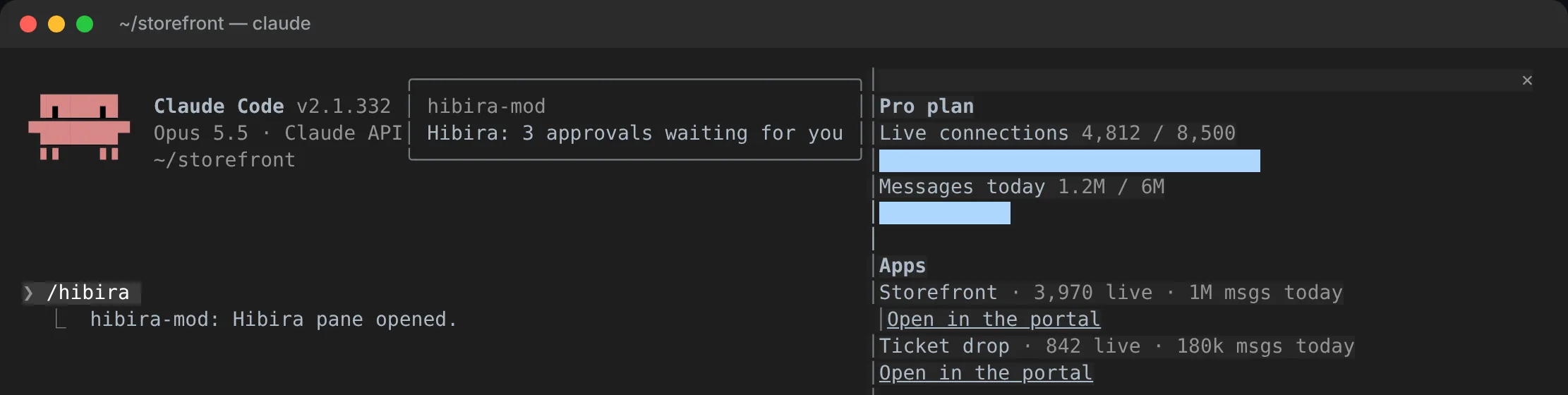
When a teammate’s deploy or a coding agent’s risky command asks for a decision in Hibira Approvals, a notice pops up in Claude Code, and the pane links straight to your inbox. Approvals →
See what your agent just did
After Claude publishes a test event, sends a push notification or creates an app through the Hibira MCP server, the pane refreshes at once, so you see the new numbers without opening the dashboard.
Know which app is busy
The pane lists every app with its live connections and messages today, each with a link to the app in your dashboard.
Install
Add the Hibira plugin and sign in
The mod reads your account through the Hibira MCP server, so there is no API key to paste. Install the plugin, then run /mcp in Claude Code, pick hibira and sign in. MCP server →
claude plugin marketplace add hibira-io/agent-plugin
claude plugin install hibira@hibira
Install the mod
From a shell:
claude plugin install hibira-mod --marketplace hibira-io/claude-modOr at the Claude Code prompt:
/plugin install hibira-mod --marketplace hibira-io/claude-modIn the Claude desktop app, click + next to the prompt box, choose Plugins, add the marketplace hibira-io/claude-mod, then add the plugin.
Open the pane
Type /hibira. The status line appears on its own once the MCP server is connected and refreshes every minute.
What it reads
- Your plan, its limits and today’s totals, the list of your apps, and the Approvals workspaces you are in with how many requests wait for you.
- Nothing else: the mod only reads, and changes nothing in your account.
- It works with the Hibira plugin or with a Hibira connector added in Claude.