
Gói chính thức · Framework
Live Chat và realtime cho Astro
Một tích hợp Astro: thêm một dòng vào astro.config là mọi trang đều có Hibira Live Chat, còn script trên trang nhận sự kiện, presence và câu trả lời LLM dạng stream qua một kết nối dùng chung. Hỗ trợ Astro 4 đến 7.


Cách nhanh nhất: plugin Hibira và một prompt
Cài plugin vào agent lập trình AI của bạn rồi dán prompt. Agent sẽ đăng nhập, tạo ứng dụng miễn phí nếu cần, viết mã và gửi một sự kiện thử. GitHub ↗
Cài plugin
claude plugin marketplace add hibira-io/agent-plugin
claude plugin install hibira@hibira
Dán prompt này
Add Hibira Astro (@hibira-io/astro) to this project.
Follow https://hibira.io/guides/astro, adapted to how this project is already set up.
If I have no Hibira app yet, create a Free one that allows http://localhost so I can test right away.
Keep the app key and secret in environment variables, add placeholders to .env.example, and never commit real values or send the secret to a browser.
When you are done, send a test event, show me it arriving, and list the files you changed.
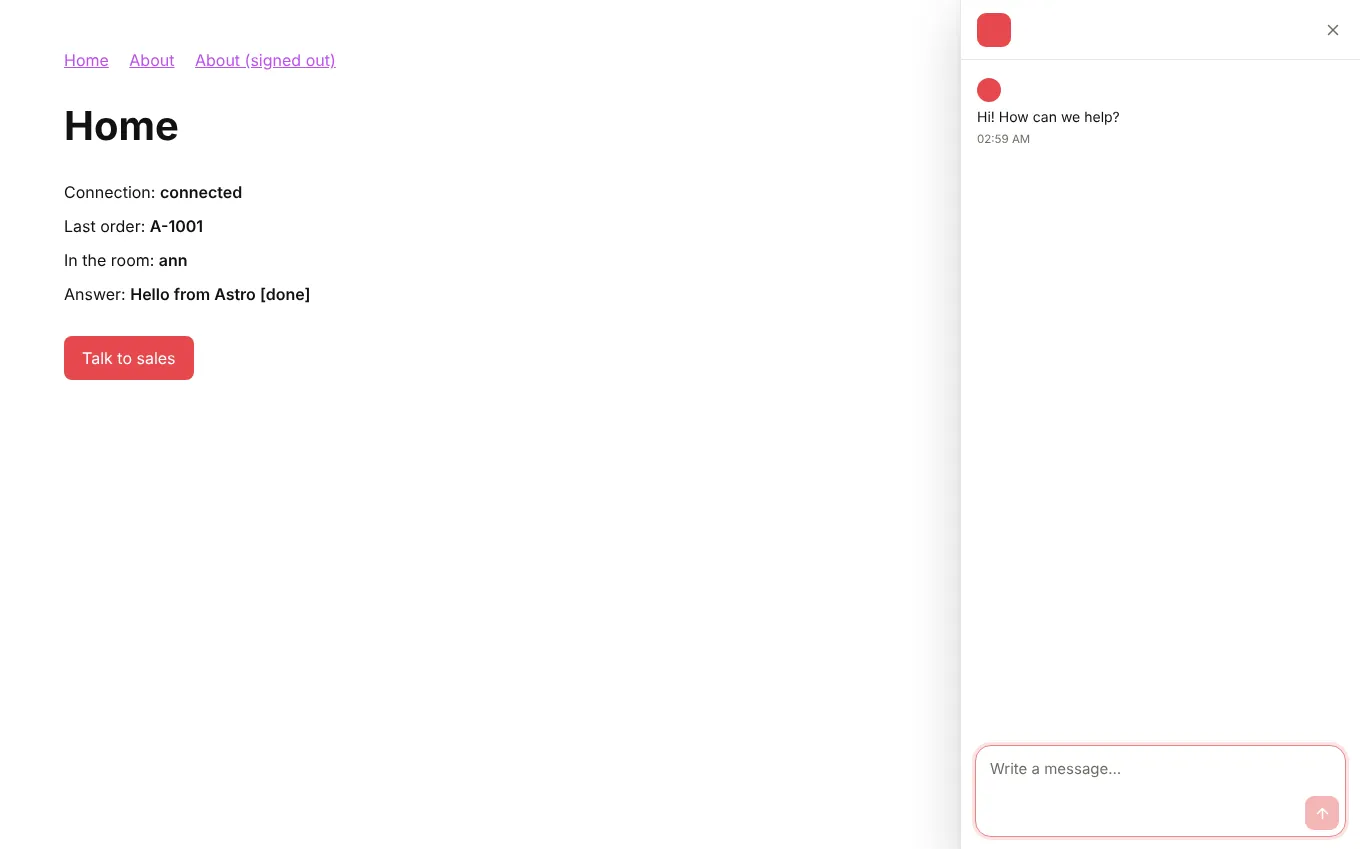
- Khung chat chỉ tải một lần và vẫn mở khi chuyển trang bằng view transitions; <LiveChatButton> và liên kết tới #hibira-live-chat đều mở được nó.
- <LiveChatUser> đăng nhập khách truy cập ở phía máy chủ bằng khóa bí mật định danh của bạn, nên hộp thư hiện họ là ai và cuộc trò chuyện theo họ qua mọi thiết bị.
- onEvent, onPresence và onStream trong bất kỳ <script> hay island nào, channelAuth() cho một API route, và streamToChannel() cho câu trả lời LLM.
Đăng nhập để xem các đoạn mã này với host cụm của riêng bạn. Đăng nhập
Cài đặt
npx astro add @hibira-io/astro
npm install pusher-js
Thiết lập
// astro.config.mjs
import { defineConfig } from 'astro/config';
import hibira from '@hibira-io/astro';

export default defineConfig({
  integrations: [
    hibira({
      liveChat: 'ws_YOUR_WORKSPACE', // or PUBLIC_HIBIRA_LIVECHAT_WORKSPACE
      realtime: {
        key: import.meta.env.PUBLIC_HIBIRA_KEY,
        options: {
          wsHost: 'ws.hibira.io',
          channelAuthorization: { endpoint: '/api/hibira/auth', transport: 'ajax' },
        },
      },
    }),
  ],
});
Sử dụng
---
import { LiveChatUser, LiveChatButton } from '@hibira-io/astro/components';
const user = Astro.locals.user;
---
<LiveChatUser user={user && { id: user.id, name: user.name, email: user.email }} />
<LiveChatButton topic="sales">Talk to sales</LiveChatButton>
<p><span id="online">0</span> online</p>

<script>
  import { onEvent, onPresence } from '@hibira-io/astro/realtime';

  onEvent('orders', 'order.created', (order) => console.log(order));
  onPresence('presence-dashboard', ({ count }) => (document.getElementById('online').textContent = String(count)));
</script>
Trước khi bắt đầu
- Tìm workspace ID trong bảng điều khiển Live Chat và tạo khóa bí mật định danh trong Cài đặt, Khách đã xác minh. Đặt nó vào HIBIRA_LIVECHAT_IDENTITY_SECRET; khóa chỉ nằm trên máy chủ của bạn.
- Với gói Free, hãy thêm mọi origin mà trang của bạn tải từ đó vào Origin được phép của ứng dụng (http://localhost:3000 khi phát triển, sau đó là tên miền của bạn). "*" cần gói trả phí.
- Kênh private và presence cần một auth endpoint trên backend ký các lượt đăng ký bằng secret của ứng dụng, giống như với pusher-js.
- Với Astro 5.14 trở lên chạy sau proxy, hãy thêm tên miền vào security.allowedDomains, nếu không Astro sẽ từ chối yêu cầu xác thực với mã 403.
Dùng app key từ bảng điều khiển; secret chỉ để trên máy chủ của bạn. Kênh, sự kiện và endpoint xác thực hoạt động y như với Pusher. Tạo tài khoản miễn phí →