
官方套件 · 自動化與基礎架構
Dify 外掛:即時事件、推播通知與審批
Dify 的工具外掛,提供四個可用於工作流程和 Agent 的工具:發布事件到頻道、發送推播通知、請人核准某個步驟,以及讀取對方的回答。


hibira-io/difyDify Marketplace ↗GitHub ↗
最快的方式:裝好 Hibira 外掛,貼上一段提示詞
在你的 AI 程式助手裝好外掛,再貼上提示詞。助手會幫你登入、需要時建立免費應用、寫好程式碼並送出測試事件。 GitHub ↗
安裝外掛
claude plugin marketplace add hibira-io/agent-plugin
claude plugin install hibira@hibira
貼上這段提示詞
Add Hibira Dify (hibira-io/dify) to this project.
Follow https://hibira.io/guides/dify, adapted to how this project is already set up.
If I have no Hibira app yet, create a Free one that allows http://localhost so I can test right away.
Keep the app key and secret in environment variables, add placeholders to .env.example, and never commit real values or send the secret to a browser.
When you are done, send a test event, show me it arriving, and list the files you changed.
- Request Approval 會傳送一次性連結給對方,用來核准或選擇一個選項,並可在節點內等待回答,最長 9 分鐘。Get Approval 可稍後讀取回答。
- 每個工具也能在 Dify Agent 中使用,由模型填入頻道、訊息或問題。
- Send Push Notification 依 interest 或使用者 ID 推播到 iOS、Android 和網頁裝置。
- 請求以 App secret 簽章,secret 本身不會被傳送。外掛只與 Hibira API 通訊,不儲存任何資料。

登入後,範例程式碼會自動帶入您的叢集主機。 登入
安裝
Plugins → Install plugin → Marketplace → Hibira
  or: Install plugin → Local package file →
      hibira-0.1.0.difypkg from github.com/hibira-io/dify/releases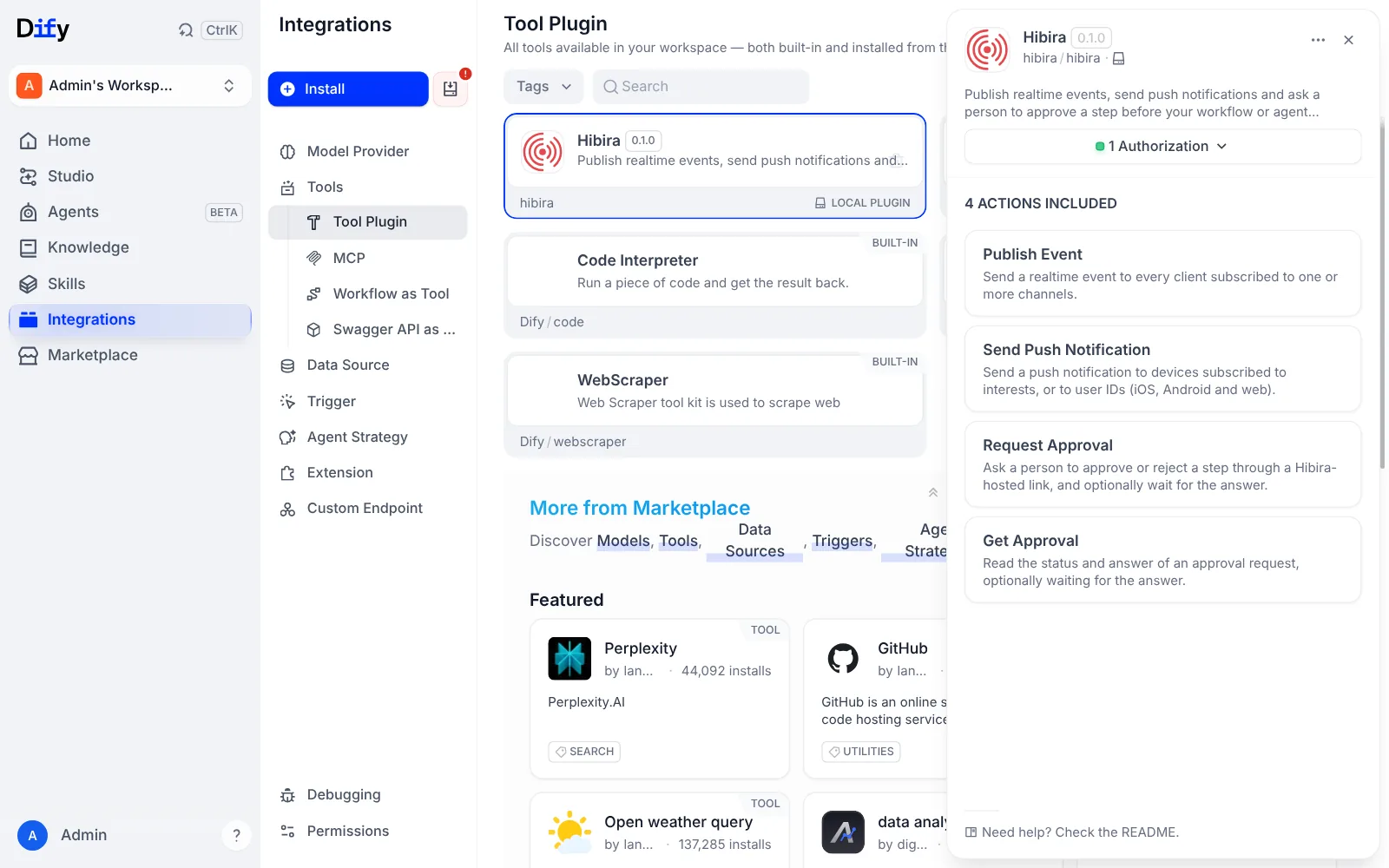
Dify 的工具頁面:Hibira 外掛已安裝並完成授權,包含 Publish Event、Send Push Notification、Request Approval 和 Get Approval 四個動作。 設定
Tools → Hibira → API Key Authorization Configuration
  App ID:            YOUR_APP_ID
  Key:               YOUR_APP_KEY
  Secret:            YOUR_APP_SECRET
  Push Instance ID:  optional, for push notifications
  Push Secret Key:   optional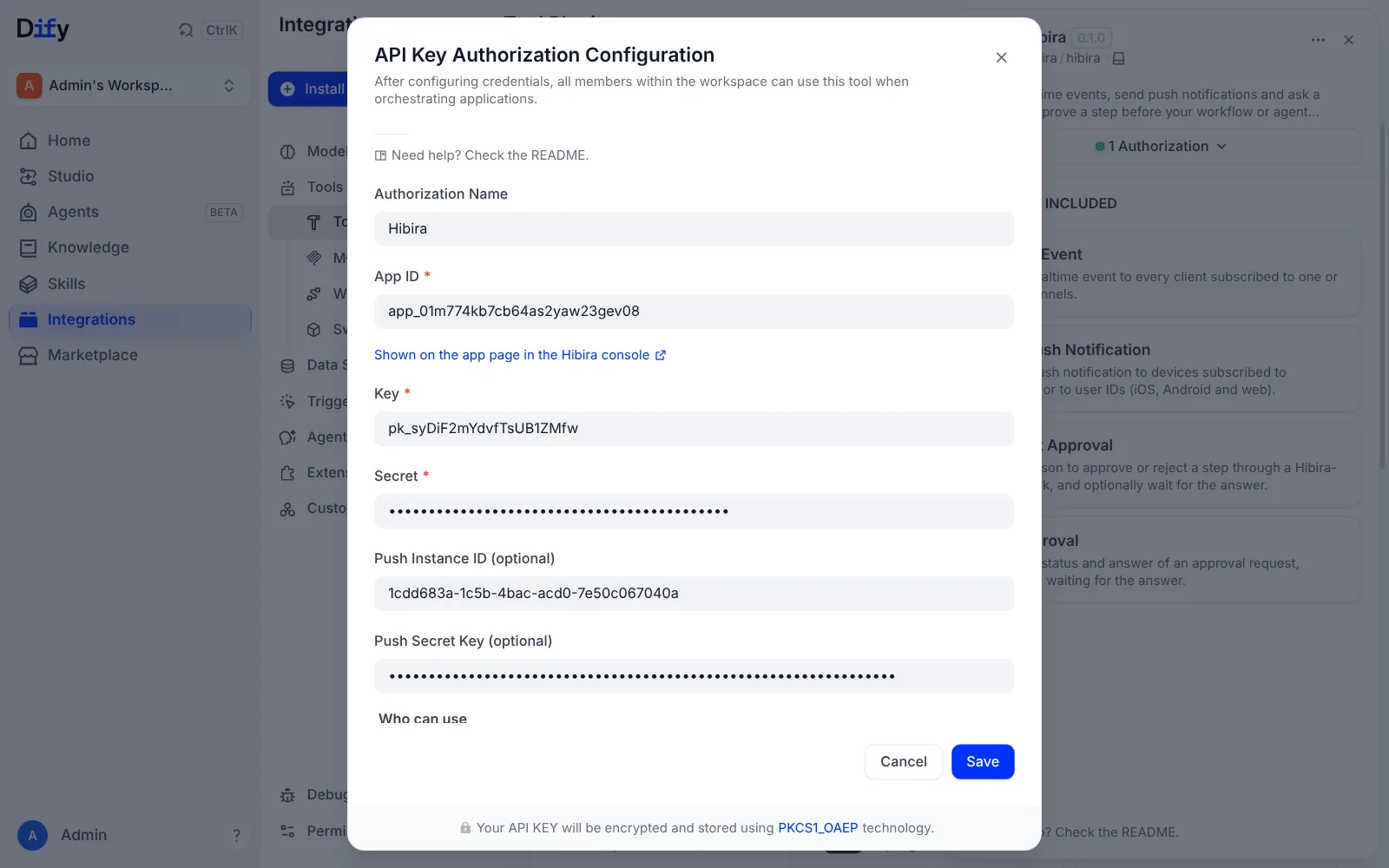
Dify 中的 Hibira 授權設定:已填入 App ID、Key 和 Secret,以及選填的 Push Instance ID 和 Push Secret Key。 請求審批
Start (order, amount)
→ Hibira → Publish Event
    Channels:  orders      Event:  refund-requested
→ Hibira → Request Approval
    Question:  Refund order {{order}} for {{amount}}?
    Options:   Refund, Decline
    Wait for Answer (Minutes):  5
→ IF text starts with Approved → Hibira → Send Push Notification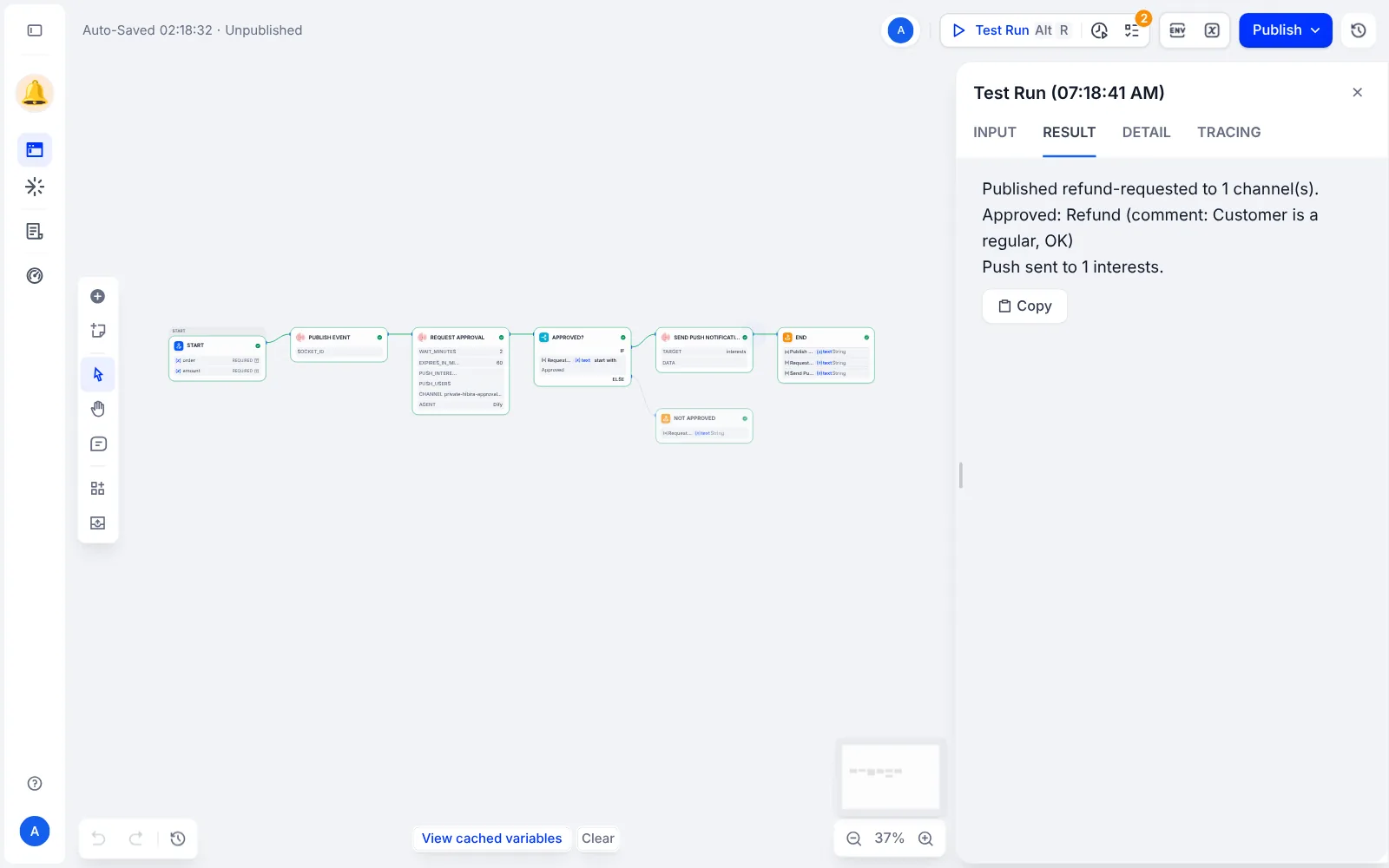
退款工作流程在 Dify 執行後:Publish Event、Request Approval、Approved?、Send Push Notification 和 End 全部亮綠燈,結果為 Approved: Refund。
開始之前
- 審批適用於在 Hibira 主控台建立的 app。回答連結只能使用一次,並在你設定的時間後失效。
- Wait for Answer 設為 0 時,Request Approval 會立即回傳,回答連結在 url 中。把連結傳給對方,再用 Get Approval 等待回答。
- Send Push Notification 需要 App 的 Push 分頁中的 Push Instance ID 和 Push Secret Key。
請使用儀表板中的應用程式 Key;Secret 只放在你的伺服器上。頻道、事件與授權端點的用法和 Pusher 完全相同。 免費建立帳號 →