
官方包 · 框架
Astro 的 Live Chat 与实时功能
一个 Astro 集成:在 astro.config 加一行,每一页就有 Hibira Live Chat;页面脚本通过一条共享连接收到事件、presence 和流式的 LLM 回答。支持 Astro 4 到 7。


最快的方式:装好 Hibira 插件,粘贴一段提示词
在你的 AI 编程助手装好插件,再粘贴提示词。助手会帮你登录、需要时创建免费应用、写好代码并发送测试事件。 GitHub ↗
安装插件
claude plugin marketplace add hibira-io/agent-plugin
claude plugin install hibira@hibira
粘贴这段提示词
Add Hibira Astro (@hibira-io/astro) to this project.
Follow https://hibira.io/guides/astro, adapted to how this project is already set up.
If I have no Hibira app yet, create a Free one that allows http://localhost so I can test right away.
Keep the app key and secret in environment variables, add placeholders to .env.example, and never commit real values or send the secret to a browser.
When you are done, send a test event, show me it arriving, and list the files you changed.
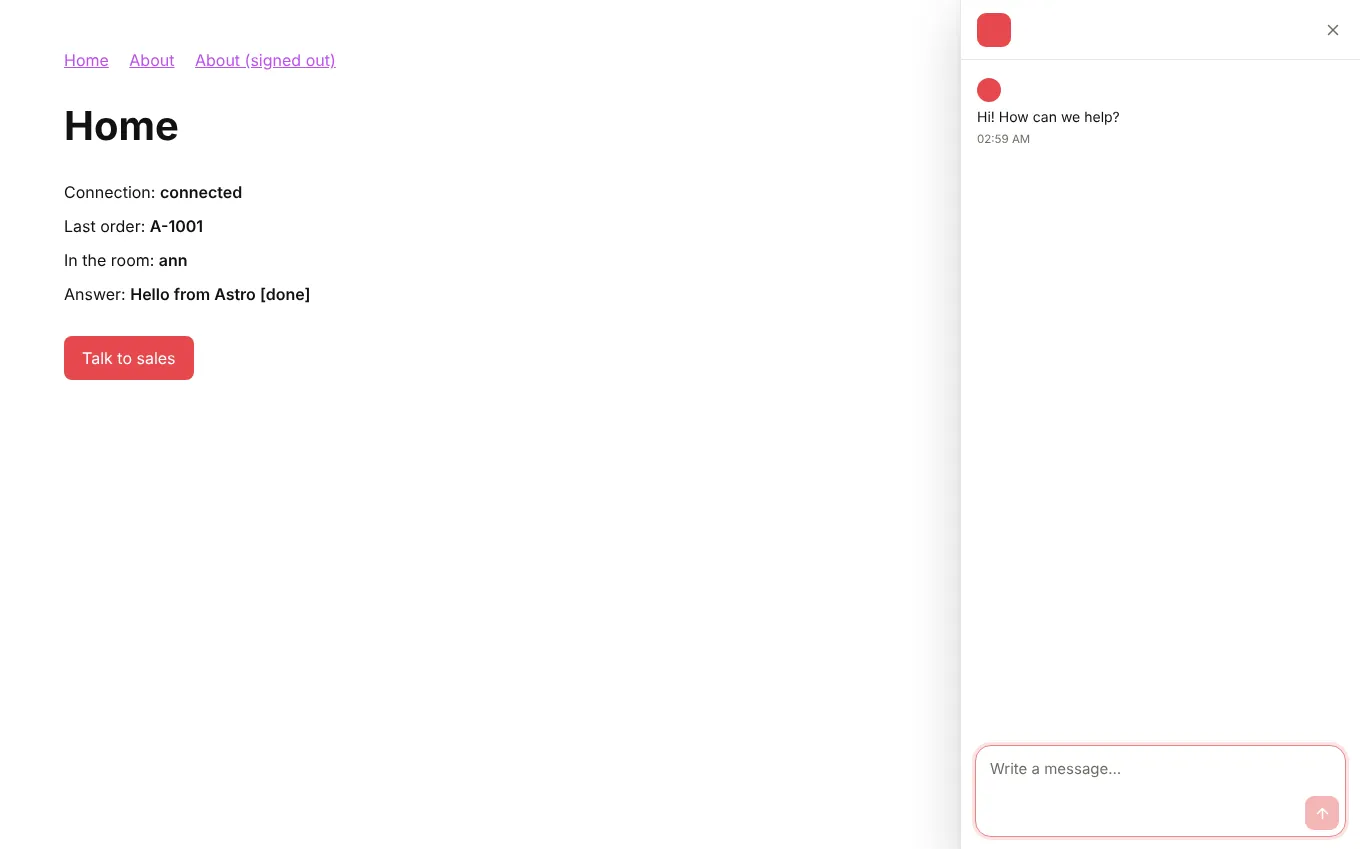
- 聊天只加载一次,经过 view transitions 也保持打开;<LiveChatButton> 和指向 #hibira-live-chat 的链接都能打开它。
- <LiveChatUser> 在服务器端用你的身份密钥签署访客,收件箱会显示他是谁,对话也能跨设备延续。
- 在任何 <script> 或 island 中使用 onEvent、onPresence 和 onStream,用 channelAuth() 做 API route,用 streamToChannel() 发送 LLM 回答。
登录后,示例代码会自动填入您的集群主机。 登录
安装
npx astro add @hibira-io/astro
npm install pusher-js
配置
// astro.config.mjs
import { defineConfig } from 'astro/config';
import hibira from '@hibira-io/astro';

export default defineConfig({
  integrations: [
    hibira({
      liveChat: 'ws_YOUR_WORKSPACE', // or PUBLIC_HIBIRA_LIVECHAT_WORKSPACE
      realtime: {
        key: import.meta.env.PUBLIC_HIBIRA_KEY,
        options: {
          wsHost: 'ws.hibira.io',
          channelAuthorization: { endpoint: '/api/hibira/auth', transport: 'ajax' },
        },
      },
    }),
  ],
});
使用
---
import { LiveChatUser, LiveChatButton } from '@hibira-io/astro/components';
const user = Astro.locals.user;
---
<LiveChatUser user={user && { id: user.id, name: user.name, email: user.email }} />
<LiveChatButton topic="sales">Talk to sales</LiveChatButton>
<p><span id="online">0</span> online</p>

<script>
  import { onEvent, onPresence } from '@hibira-io/astro/realtime';

  onEvent('orders', 'order.created', (order) => console.log(order));
  onPresence('presence-dashboard', ({ count }) => (document.getElementById('online').textContent = String(count)));
</script>
开始之前
- 在 Live Chat 控制台找到 workspace ID,并在“设置”的“已验证访客”创建身份密钥。把它放在 HIBIRA_LIVECHAT_IDENTITY_SECRET,只留在你的服务器上。
- Free 套餐需要把页面加载的每个来源都加入应用的“允许的来源”(开发时是 http://localhost:3000,之后是您的域名)。"*" 需要付费套餐。
- 私有频道和 presence 频道需要后端提供授权端点,用应用密钥签名订阅,做法与 pusher-js 相同。
- Astro 5.14 及以后的版本如果在代理后面,请把域名列在 security.allowedDomains,否则 Astro 会以 403 拒绝授权请求。
请使用控制台中应用的 Key;Secret 只放在你的服务器上。频道、事件与授权端点的用法与 Pusher 完全相同。 免费创建账号 →