
官方包 · 框架
Refine 后台的实时更新
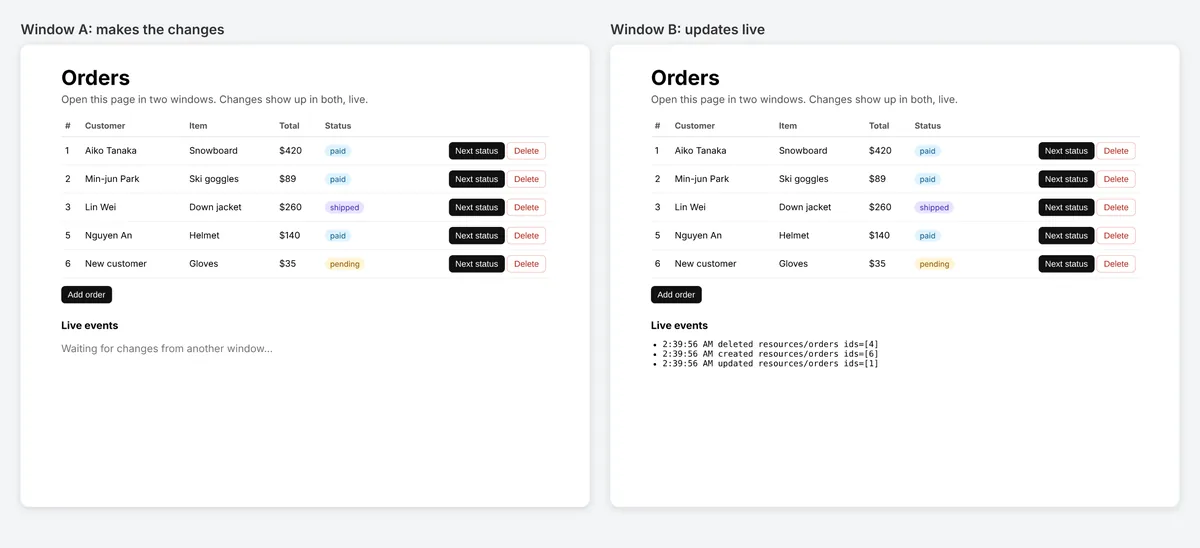
Refine 的 liveProvider:别人修改数据时,列表、记录和仪表盘会自动更新。支持 Refine 4 和 5、任何 UI 套件和任何 data provider。


@hibira-io/refinenpm ↗GitHub ↗
最快的方式:装好 Hibira 插件,粘贴一段提示词
在你的 AI 编程助手装好插件,再粘贴提示词。助手会帮你登录、需要时创建免费应用、写好代码并发送测试事件。 GitHub ↗
安装插件
claude plugin marketplace add hibira-io/agent-plugin
claude plugin install hibira@hibira
粘贴这段提示词
Add Hibira Refine (@hibira-io/refine) to this project.
Follow https://hibira.io/guides/refine, adapted to how this project is already set up.
If I have no Hibira app yet, create a Free one that allows http://localhost so I can test right away.
Keep the app key and secret in environment variables, add placeholders to .env.example, and never commit real values or send the secret to a browser.
When you are done, send a test event, show me it arriving, and list the files you changed.
- 设置 liveMode: "auto" 后,useList、useOne、useTable、useForm 和 useShow 会自动重新获取数据。
- 使用 private 频道和你自己的授权端点;同一个资源上的 hooks 共用一个订阅。
- publishLiveEvent() 在每次修改后从你的 API 发送事件,并可跳过发起修改的那个标签页。
登录后,示例代码会自动填入您的集群主机。 登录
安装
npm install @hibira-io/refine pusher-js
# on your backend
npm install pusher
配置
import { Refine } from '@refinedev/core';
import Pusher from 'pusher-js';
import { liveProvider } from '@hibira-io/refine';

const pusher = new Pusher(import.meta.env.VITE_HIBIRA_KEY, {
  cluster: 'hkg',
  wsHost: 'ws.hibira.io',
  channelAuthorization: { endpoint: '/api/hibira/auth', transport: 'ajax' },
});

export const App = () => (
  <Refine
    dataProvider={dataProvider}
    liveProvider={liveProvider(pusher, { channelPrefix: 'private-', publish: false })}
    options={{ liveMode: 'auto' }}
  />
);
使用
import Pusher from 'pusher';
import { publishLiveEvent } from '@hibira-io/refine/server';

const pusher = new Pusher({
  appId: process.env.HIBIRA_APP_ID!,
  key: process.env.HIBIRA_KEY!,
  secret: process.env.HIBIRA_SECRET!,
  host: 'ws.hibira.io',
  useTLS: true,
});

// after updating post 42
await publishLiveEvent(pusher, { resource: 'posts', type: 'updated', ids: [42] }, { channelPrefix: 'private-', socketId: req.headers['x-socket-id'] });
开始之前
- 私有频道和 presence 频道需要后端提供授权端点,用应用密钥签名订阅,做法与 pusher-js 相同。
- Laravel 也能发送相同的事件:在 resources.posts 广播「refine」事件,内容格式与 Refine 的 LiveEvent 相同。
请使用控制台中应用的 Key;Secret 只放在你的服务器上。频道、事件与授权端点的用法与 Pusher 完全相同。 免费创建账号 →