
公式パッケージ · フレームワーク
Livewire のリアルタイムコンポーネント
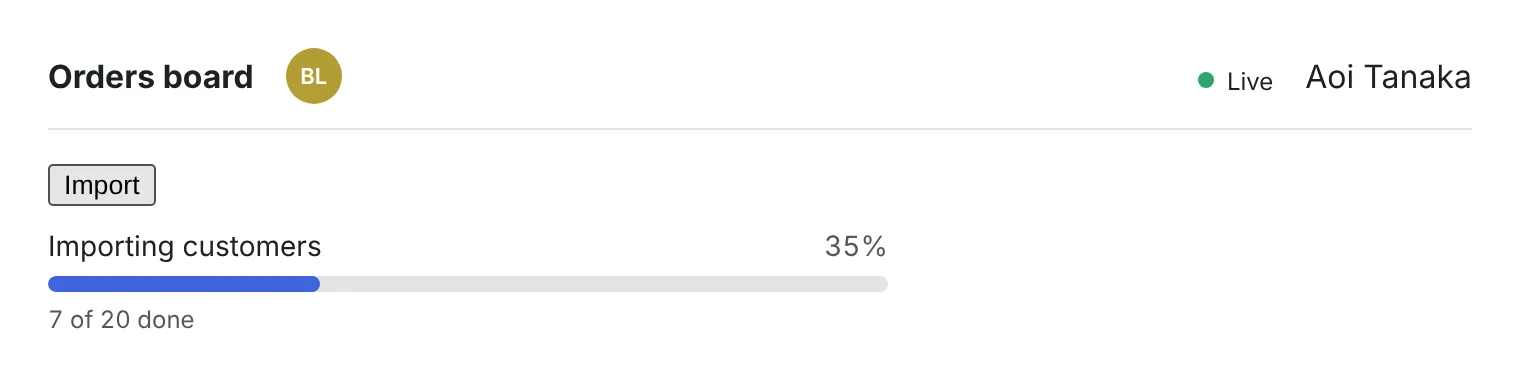
Livewire 3 と 4 にそのまま置ける 3 つの部品:同じページにいる人のアバター、キューの進み具合に合わせて動くジョブバッチの進捗バー、リアルタイム接続がつながっているかを示すランプです。


hibira-io/livewirePackagist ↗GitHub ↗
最速の方法:Hibira プラグインとプロンプト 1 つ
AI コーディングエージェントにプラグインを入れて、プロンプトを貼り付けるだけ。エージェントがサインインし、必要なら無料アプリを作成し、コードを書いてテストイベントを送ります。 GitHub ↗
プラグインをインストール
claude plugin marketplace add hibira-io/agent-plugin
claude plugin install hibira@hibira
このプロンプトを貼り付け
Add Hibira Livewire (hibira-io/livewire) to this project.
Follow https://hibira.io/guides/livewire, adapted to how this project is already set up.
If I have no Hibira app yet, create a Free one that allows http://localhost so I can test right away.
Keep the app key and secret in environment variables, add placeholders to .env.example, and never commit real values or send the secret to a browser.
When you are done, send a test event, show me it arriving, and list the files you changed.
- <x-hibira-whos-here /> は、同じページやルームにいるサインイン中のユーザーをプレゼンスチャンネルでリアルタイムに表示します。
- <livewire:hibira-batch-progress :batch="$id" /> は wire:poll なしで Bus::batch() を追いかけます。ジョブが終わるたびに更新し、最後に hibira-batch-finished を発行します。
- Laravel 10〜13 に対応し、表示テキストは英語、繁体字中国語、簡体字中国語、日本語、韓国語、タイ語、ベトナム語です。
サインインすると、コード例にご自身のクラスターホストが入ります。 サインイン
インストール
composer require hibira-io/livewire
php artisan hibira:install
npm install laravel-echo pusher-js
使う
<x-hibira-connection-status label />
<x-hibira-whos-here />

{{-- $batchId from Bus::batch([...])->dispatch()->id --}}
<livewire:hibira-batch-progress :batch="$batchId" />
始める前に
- アプリのシークレットは、アプリの作成時とシークレットのローテーション時に一度だけ表示されます。サーバーにだけ置き、ブラウザやゲームのビルドには入れないでください。
- コンポーネントは hibira:install が resources/js/echo.js に書き出す window.Echo を使います。resources/js/app.js でインポートしてください。
- バッチの進捗はキューから配信されます。php artisan queue:work を動かしたままにしてください。
ダッシュボードのアプリキーを使ってください。シークレットはサーバー側だけに置きます。チャンネル、イベント、認可エンドポイントは Pusher とまったく同じように動作します。 無料でアカウントを作成 →