
Official package · Automation and infrastructure
Shopify app for live chat with your shoppers
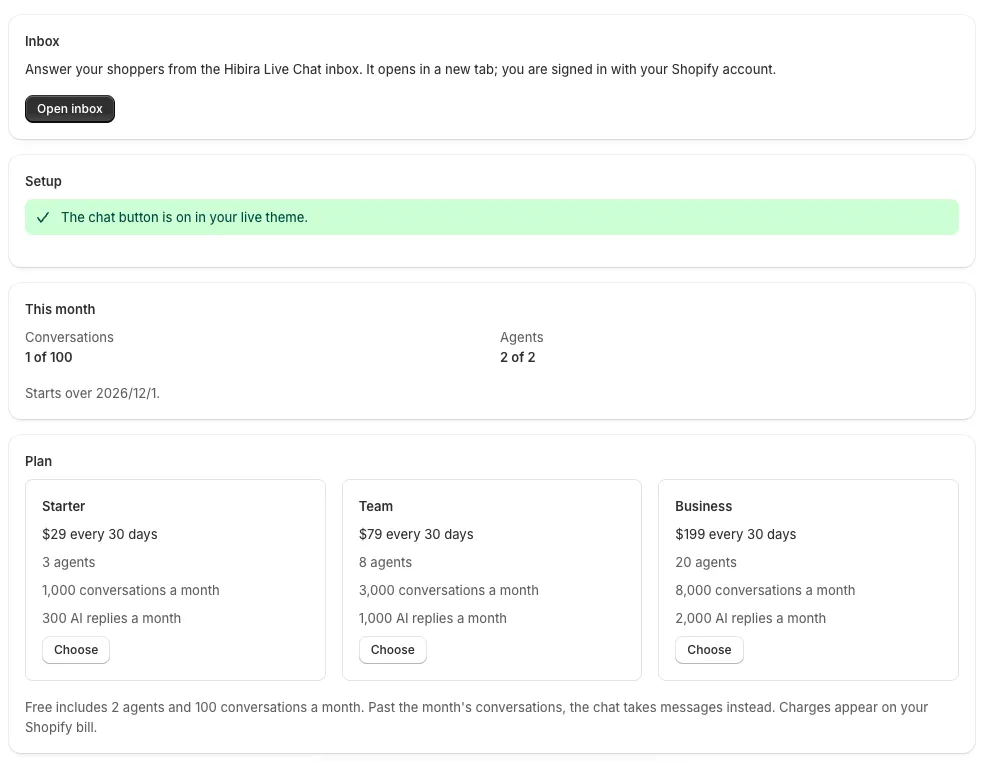
Install Hibira Live Chat from the Shopify App Store and turn on its app embed. Shoppers get a chat button on every page, and your staff answer from an inbox they open from the Shopify admin, signed in with their Shopify account.
Hibira Live Chat (Shopify app)GitHub ↗
- A chat button on every page of your store, in seven languages and your colour.
- Staff open the inbox from the Shopify admin and are signed in with their Shopify account.
- Replies appear live in the shopper's chat, with the agent's first name and photo.
- Plans are billed by Shopify; paid plans add AI answers from your own Q&A.
Sign in to see these snippets with your own cluster host. Sign in
Install
Shopify admin → Apps → Shopify App Store
  → search "Hibira Live Chat" → Install
The app opens in your admin. There is nothing to sign up for.
Turn it on in your theme
Hibira Live Chat → Setup → Open theme editor
  → turn on "Hibira Live Chat" → Button color → Save
Answer from the inbox
Hibira Live Chat → Open inbox
The inbox opens in a new tab, signed in with your Shopify account.
Before you start
- Free covers 2 agents and 100 conversations a month. Starter, Team and Business are billed by Shopify on your invoice. Development stores get test charges.
- Each staff member who opens the inbox from the app takes a seat while one is free. Shoppers see their first name, which they can change in the inbox under Settings → Your profile.
Use the app key from your dashboard; the secret stays on your server. Channels, events and authorization endpoints work exactly as they do with Pusher. Create your free account →