
Official package · Frameworks
Live Chat and realtime for Astro
An Astro integration: one line in astro.config puts Hibira Live Chat on every page, and page scripts get events, presence and streamed LLM answers over one shared connection. Astro 4 to 7.


Fastest way: one prompt with the Hibira plugin
Install the plugin in your AI coding agent and paste the prompt. The agent signs you in, creates a free app if you need one, writes the code and sends a test event. GitHub ↗
Install the plugin
claude plugin marketplace add hibira-io/agent-plugin
claude plugin install hibira@hibira
Paste this prompt
Add Hibira Astro (@hibira-io/astro) to this project.
Follow https://hibira.io/guides/astro, adapted to how this project is already set up.
If I have no Hibira app yet, create a Free one that allows http://localhost so I can test right away.
Keep the app key and secret in environment variables, add placeholders to .env.example, and never commit real values or send the secret to a browser.
When you are done, send a test event, show me it arriving, and list the files you changed.
Prefer to do it by hand? These are the steps below:
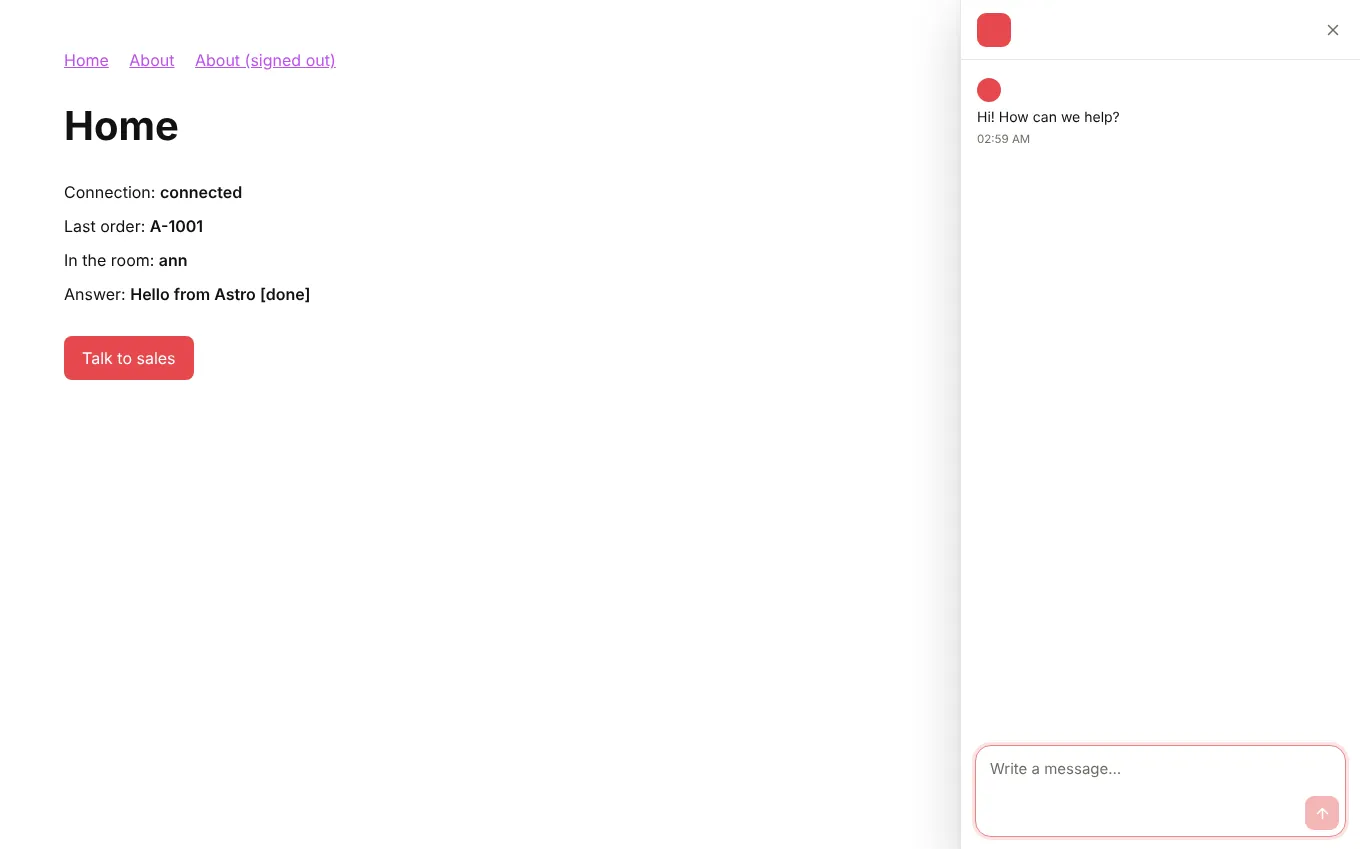
- The chat loads once and stays open across view transitions; <LiveChatButton> and links to #hibira-live-chat open it.
- <LiveChatUser> signs visitors in on the server with your identity secret, so the inbox shows who they are and their conversations follow them between devices.
- onEvent, onPresence and onStream in any <script> or island, channelAuth() for an API route, and streamToChannel() for LLM answers.
Sign in to see these snippets with your own cluster host. Sign in
Install
npx astro add @hibira-io/astro
npm install pusher-js
Set it up
// astro.config.mjs
import { defineConfig } from 'astro/config';
import hibira from '@hibira-io/astro';

export default defineConfig({
  integrations: [
    hibira({
      liveChat: 'ws_YOUR_WORKSPACE', // or PUBLIC_HIBIRA_LIVECHAT_WORKSPACE
      realtime: {
        key: import.meta.env.PUBLIC_HIBIRA_KEY,
        options: {
          wsHost: 'ws.hibira.io',
          channelAuthorization: { endpoint: '/api/hibira/auth', transport: 'ajax' },
        },
      },
    }),
  ],
});
Use it
---
import { LiveChatUser, LiveChatButton } from '@hibira-io/astro/components';
const user = Astro.locals.user;
---
<LiveChatUser user={user && { id: user.id, name: user.name, email: user.email }} />
<LiveChatButton topic="sales">Talk to sales</LiveChatButton>
<p><span id="online">0</span> online</p>

<script>
  import { onEvent, onPresence } from '@hibira-io/astro/realtime';

  onEvent('orders', 'order.created', (order) => console.log(order));
  onPresence('presence-dashboard', ({ count }) => (document.getElementById('online').textContent = String(count)));
</script>
Before you start
- Find the workspace ID in the Live Chat console, and create an identity secret under Settings, Verified visitors. Put it in HIBIRA_LIVECHAT_IDENTITY_SECRET; it stays on your server.
- On the Free plan, list every origin your pages load from in the app’s allowed origins (http://localhost:3000 while developing, then your domain). "*" needs a paid plan.
- Private and presence channels need an auth endpoint on your backend that signs subscriptions with the app secret, as with pusher-js.
- On Astro 5.14 and later behind a proxy, list your domain in security.allowedDomains, or Astro refuses the auth request with 403.
Use the app key from your dashboard; the secret stays on your server. Channels, events and authorization endpoints work exactly as they do with Pusher. Create your free account →