
Official package · Realtime building blocks
Collaborative editing with Yjs
A Yjs provider: shared documents and live cursors travel over a private or presence channel, so Tiptap, BlockNote, ProseMirror, CodeMirror, Monaco and Quill work without a y-websocket server of your own.


Fastest way: one prompt with the Hibira plugin
Install the plugin in your AI coding agent and paste the prompt. The agent signs you in, creates a free app if you need one, writes the code and sends a test event. GitHub ↗
Install the plugin
claude plugin marketplace add hibira-io/agent-plugin
claude plugin install hibira@hibira
Paste this prompt
Add Hibira Yjs (y-hibira) to this project.
Follow https://hibira.io/guides/y-hibira, adapted to how this project is already set up.
If I have no Hibira app yet, create a Free one that allows http://localhost so I can test right away.
Keep the app key and secret in environment variables, add placeholders to .env.example, and never commit real values or send the secret to a browser.
When you are done, send a test event, show me it arriving, and list the files you changed.
Prefer to do it by hand? These are the steps below:
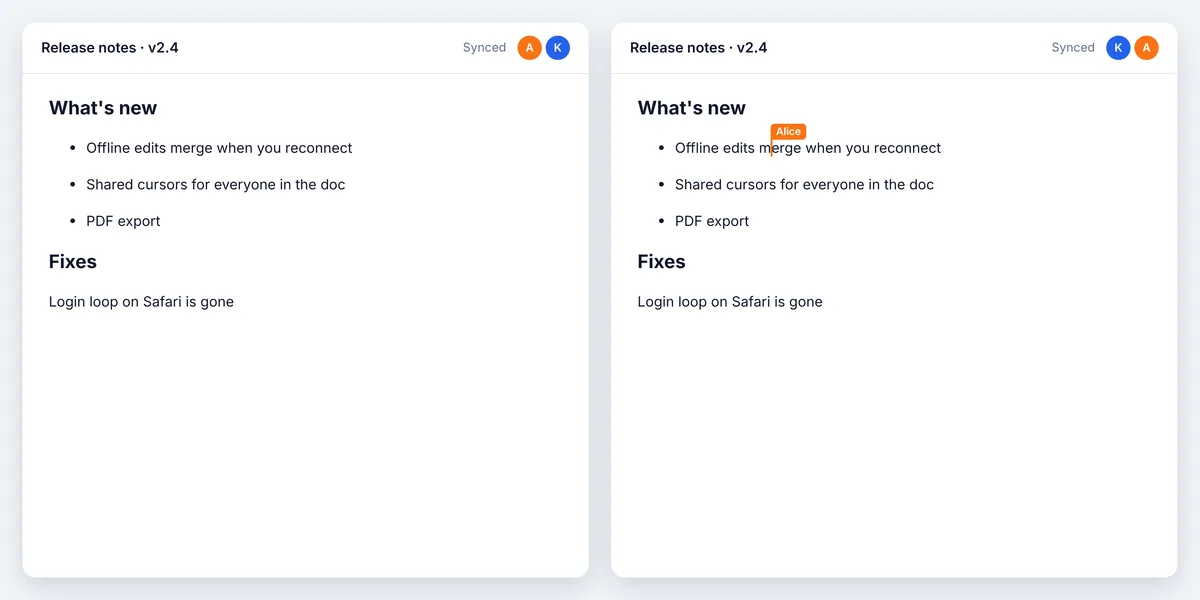
- Peers sync with each other through client events; edits made offline merge when the connection comes back.
- Awareness for names, cursors and selections; on a presence channel a member who drops is removed at once.
- Works with pusher-js or a Laravel Echo channel, with a send rate limit and large updates split into chunks.
Sign in to see these snippets with your own cluster host. Sign in
Install
npm install y-hibira yjs pusher-jsUse it
import * as Y from 'yjs';
import Pusher from 'pusher-js';
import { HibiraProvider } from 'y-hibira';

const pusher = new Pusher('YOUR_APP_KEY', {
  cluster: 'hkg',
  wsHost: 'ws.hibira.io',
  channelAuthorization: { endpoint: '/broadcasting/auth' },
});

const doc = new Y.Doc();
const provider = new HibiraProvider(pusher, 'presence-doc-42', doc);
provider.awareness.setLocalStateField('user', { name: 'Alice', color: '#f97316' });
// Tiptap: Collaboration.configure({ document: doc }) and CollaborationCaret.configure({ provider })
Before you start
- Turn on Allow client events in the app’s settings: peers send document updates to each other as client events.
- Private and presence channels need an auth endpoint on your backend that signs subscriptions with the app secret, as with pusher-js.
- The server relays updates but does not store them. Save the document yourself (Y.encodeStateAsUpdate) and load it before connecting.
Use the app key from your dashboard; the secret stays on your server. Channels, events and authorization endpoints work exactly as they do with Pusher. Create your free account →